
Fake Ledger App Scam: How a Musician’s Bitcoin Retirement Was Stolen from the Apple Store
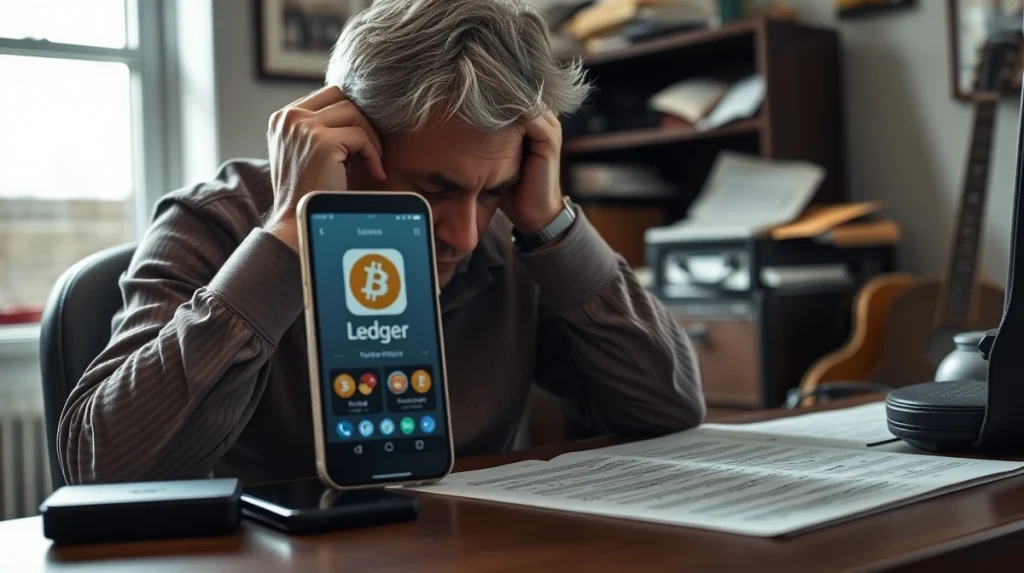
A professional musician watched his life’s work vanish in seconds. His entire Bitcoin retirement fund, stored for years, was drained by a fraudulent app he downloaded from the official Apple App Store. This incident, reported in early April 2026, exposes a dangerous flaw in digital asset security that has left the crypto community reeling.
The Fake Ledger App That Wiped a Retirement Fund
According to a detailed report from blockchain security firm SlowMist, the victim was a long-time Bitcoin holder. He searched for “Ledger Live” on the Apple App Store to manage his hardware wallet. A convincing counterfeit app appeared in the results. It used Ledger’s official branding and had hundreds of positive, likely fake, reviews. After downloading it, the app prompted him to enter his 24-word recovery phrase to “sync” his wallet. He complied. Minutes later, his wallet balance hit zero.
Also read: XRP Price Reclaims $1.10 Support as Upbit Volume Surpasses Bitcoin
Data from SlowMist shows the stolen funds, worth over $600,000, were immediately funneled through multiple cryptocurrency mixers. They are now untraceable. This was not a sophisticated hack. It was a social engineering attack that exploited trust in a major app marketplace.
How Scammers Infiltrated the Apple App Store
Apple’s App Store review process is famously strict. Yet, this fake app slipped through. Security analysts note that scammers use several tactics. They create apps that look legitimate but contain no malicious code at first. This helps them pass automated and human reviews. After approval, they push a silent update that introduces the phishing functionality. Alternatively, they may use deceptive descriptions that mislead reviewers about the app’s true purpose.
Also read: Can Solana Flip XRP? A Data-Driven Analysis of Market Cap and Network Momentum
Common red flags for fake crypto apps include:
- Developer names that slightly misspell the legitimate company (e.g., “LedgerHQ” instead of “Ledger”).
- Requests for a recovery seed phrase—a legitimate app never asks for this.
- A low number of downloads compared to the official app.
- Recent publication dates with a sudden influx of perfect reviews.
Apple removed the fraudulent app following the report. The company stated its App Review team investigates all reports of fraud. However, the damage was already done.
A Systemic Problem for Crypto Security
This case is not isolated. The Crypto Crime Report by Chainalysis for 2025 noted that scams and thefts drained over $3 billion from investors. A significant portion came from phishing attacks like this one. What makes this incident different is the platform. Investors often let their guard down on official storefronts like Apple’s or Google’s Play Store. They assume these platforms vet every app thoroughly. This creates a false sense of security that scammers ruthlessly exploit.
Industry watchers note that the problem is growing. As cryptocurrency adoption increases, more novice investors enter the market. They are prime targets for these simple but effective scams. The implication is clear. Security education is just as important as technical safeguards.
What Ledger and Apple Are Saying
Ledger, the legitimate hardware wallet manufacturer, issued a stark warning. A company spokesperson confirmed that Ledger Live is its only official application. “We never ask users to enter their 24-word recovery phrase into any app or website,” the statement read. The company advises users to only download apps via links on its official website.
Apple has not commented publicly on this specific case. Its standard policy is to remove violating apps and potentially ban the developer accounts responsible. According to Apple’s published App Store Review Guidelines, apps that mislead users are strictly prohibited. Yet, the reactive nature of this process means scams can operate for days or weeks before being caught.
How to Protect Your Crypto Assets
This theft provides a harsh lesson for all digital asset holders. Security experts recommend a multi-layered approach.
First, never enter a seed phrase into any app, website, or form. A hardware wallet’s sole purpose is to keep that phrase offline. Second, use a “bookmarking” method. Always work through to an app’s download page via the official company website you have saved, not through a store search. Third, enable all available security features, like multi-signature wallets for large holdings.
What this means for investors is that self-custody brings great responsibility. The promise of decentralization means there is no central authority to reverse fraudulent transactions. Once crypto is sent, it is gone forever.
Conclusion
The musician’s devastating loss to a fake Ledger app is a wake-up call. It shows that even trusted gateways like the Apple App Store can be weaponized by scammers. For the crypto industry, building trust requires more than advanced technology. It demands constant vigilance from users and more proactive screening from platforms. As digital assets become more common, so too will the schemes to steal them. Protecting your Bitcoin retirement, or any investment, starts with verifying every link and trusting no one with your keys.
FAQs
Q1: How did a fake app get on the Apple App Store?
Apple’s review process can be bypassed by developers who submit a benign app for approval and later update it with malicious code. Scammers also use deceptive descriptions and fake reviews to appear legitimate.
Q2: Is my hardware wallet still safe?
The hardware wallet itself remains secure. This scam did not hack the device. It tricked the user into surrendering the secret recovery phrase, which gives anyone full control over the funds.
Q3: Can the stolen Bitcoin be recovered?
Almost certainly not. Cryptocurrency transactions are irreversible. Once the funds were moved and passed through mixing services, tracing and recovering them became practically impossible.
Q4: What should I do if I downloaded a suspicious crypto app?
Immediately delete the app. If you entered any seed phrases or private keys, you must move your funds to a new, secure wallet generated from a new recovery phrase. The old wallet is now compromised.
Q5: Are Google Play Store and other platforms also at risk?
Yes. Security firms have documented similar fake app campaigns on Google Play and other official Android app stores. The same precautions apply across all platforms.